1 START
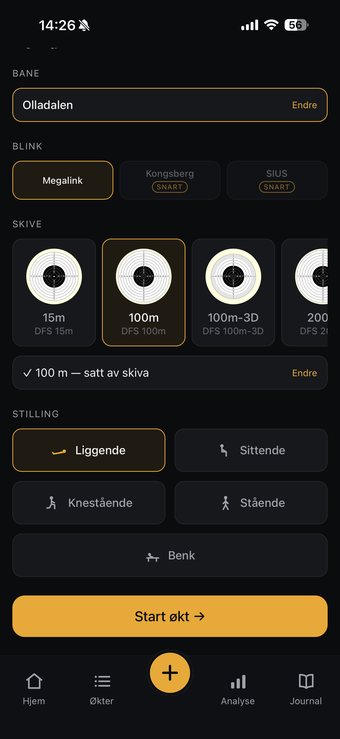
Choose range, target and position — and everything is ready for the first series.
Scan the series straight from the shooting monitor. SICTA analyses your shot patterns and shows how your precision develops over time.
Join the waitlistTakk! Du står på ventelisten — vi sier fra når SICTA lanseres.
SICTA makes advanced shot data easy to understand. No more spreadsheets, messy notes or camera rolls full of monitor photos. Built for shooters who like data — but would rather spend their time training than logging.
The solution
Choose range, target and position — and everything is ready for the first series.
Scan the shooting monitor after the series. SICTA keeps every shot.
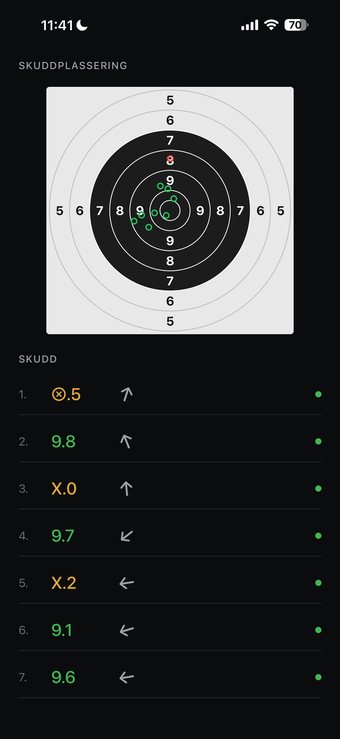
When the session is over, you get a summary with an analysis of your level and highlights from the session — compared with previous sessions.
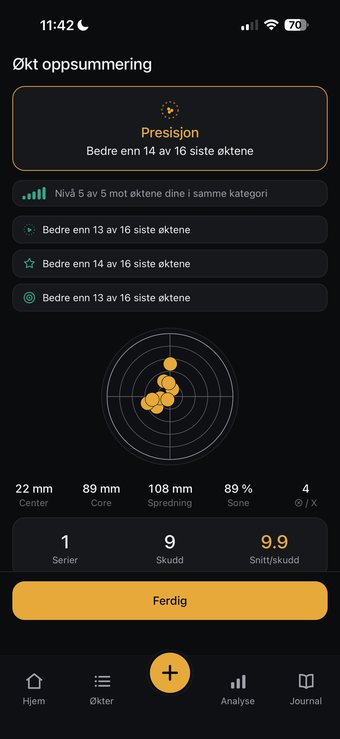
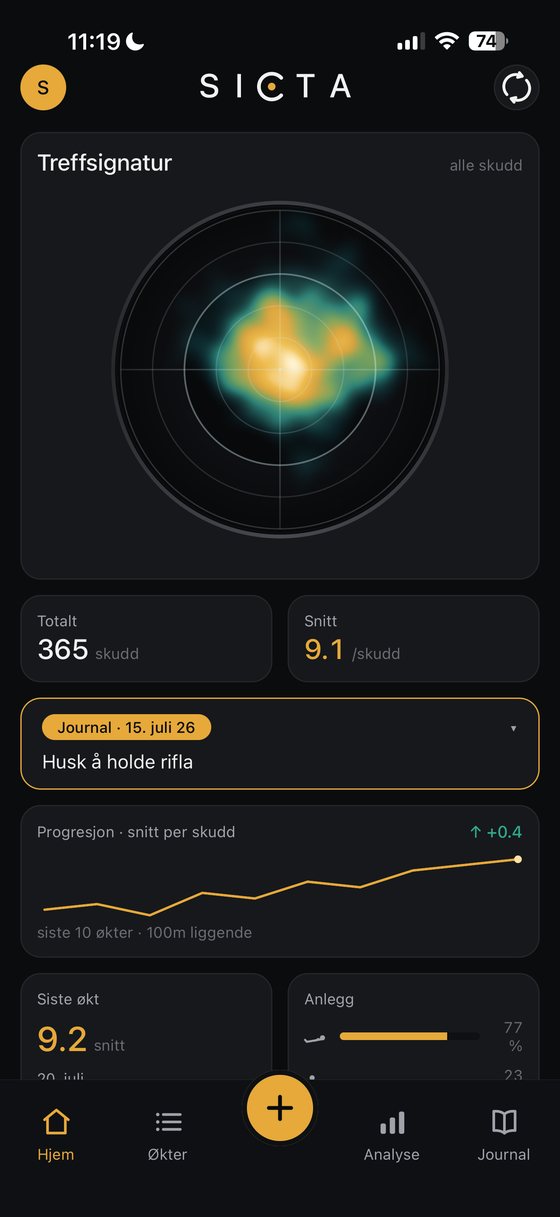
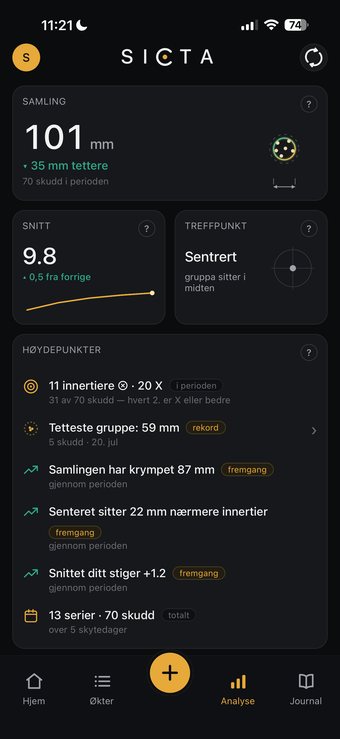
See more than the points. Discover group shape, group size, point of impact and progress over time.
Features
A premium training tool for shooters who like to see their progress! Tap a feature to read more:
Scan the shooting monitor after the series, and your shots, placements and scores are saved in SICTA. Automatic when conditions allow — and when they don’t, you take over exactly as much as needed:
Your log is always complete.
Tap for moreSee where your shots sit, how the group takes shape, and where your point of impact lies relative to centre.
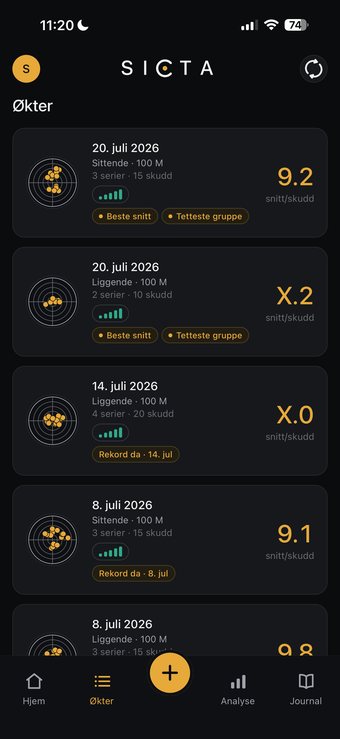
Tap for moreCollect your series into organised sessions, so you can always find your way back to what you shot.
Tap for moreCompare score, group size, point of impact and other key numbers from session to session.
Tap for moreAdd your own notes on technique, conditions, form on the day and anything you want to remember for the next training.
Tap for moreLink your series to firearms, ammunition and setups for a better view of what you actually shot with.
Tap for moreLet SICTA find the patterns in your shooting and make your development easier to understand over time.
Tap for moreLog your handloads — components and setups — and see which handloaded ammunition shoots most precisely.
Tap for moreSICTA is a logging and analysis tool. The app does not replace official load data, established safety routines or professional judgement. Always follow official load data, local laws and established safety practices.
Questions and answers
SICTA is in closed beta right now, tested on the range by shooters from the waitlist. The launch follows the shooting season, not the calendar. If you are on the waitlist, you hear first – and get the chance to join the next beta round.
SICTA comes in a free version and a Pro version. The free version gives you a full overview of your sessions — Pro adds the analyses and the insight on top.
Under good conditions the whole series is read automatically. With overlapping or tightly grouped shots you may need to fine-tune the shot placements. If anything is read incorrectly, you can place the shots manually in the app.
SICTA is compatible with Megalink monitors and KONGSBERG. We are working on support for more systems. Would you like support for another system? Contact support@sicta.app.
Rifle shooting — primarily the Norwegian DFS disciplines at 15, 100, 200 and 300 metres.
Yes. SICTA launches on both iPhone and Android.
Yes — SICTA is built for shooting ranges without mobile coverage. You scan and log as usual, and anything that needs a connection is queued and completed automatically once you have coverage again.
It is stored securely and used only for news about the launch and beta testing. You can unsubscribe and delete your data at any time.
The waitlist
Register your interest and we will let you know when SICTA launches. You get product news along the way, and the chance to shape the features while we build.
You are on the list.
By signing up you consent to receiving emails about SICTA. No spam, and you can unsubscribe at any time.